Appearance
Add footsteps to Motion
Use this procedure to import sounds and add them to the Motion 1.6 footstep system.
Import sounds
- Open the applicable folder in the Content Browser.
- Select
Add/Import > Import to. - Select the audio file.
- Select Open.
Unreal Engine supports uncompressed, little-endian, 16-bit WAV files. Use a sample rate of 44100 Hz or 22050 Hz.
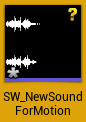
Create a Sound Cue
Motion 1.6 uses a Sound Cue for each imported Sound Wave.
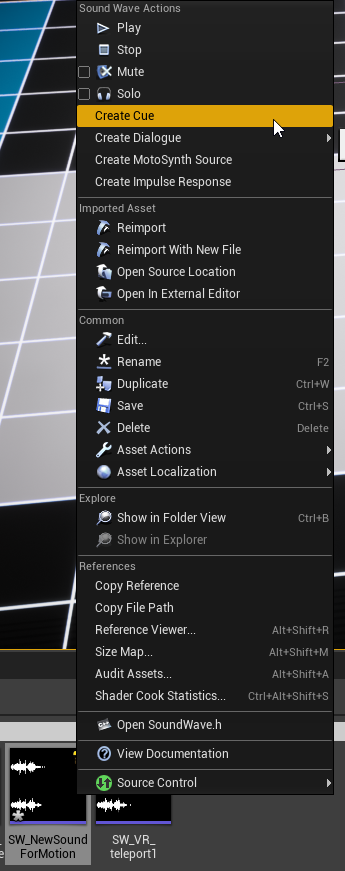
- Right-click the imported Sound Wave.
- Select
Create Cue.
Add a sound to an existing MetaSound Source
- Open the applicable MetaSound Source in
Motion\Sounds\MetaSounds. - Select the
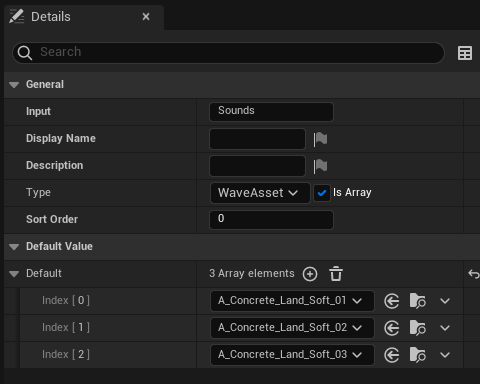
Inputnode. - In the Details panel, find the
Soundsarray. - Add the new Sound Cue to the array.
Create a MetaSound Source
- Duplicate an existing source other than
MSS_MotionBase. - Open the duplicate.
- Select the
Inputnode. - Replace the contents of the
Soundsarray. - Add an entry to the movement sounds table.