Appearance
Retarget a Marketplace character
Use this procedure to retarget a UE5 Marketplace character for Motion 1.6. Motion uses the UE5 Mannequin rig from the Lyra Sample Game.
Before you continue, create a version-control branch or a backup.
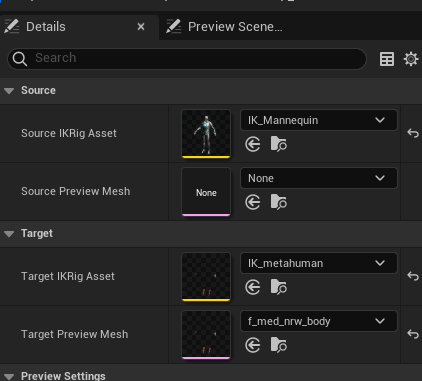
Duplicate and adjust the IK Retargeter
- Duplicate
RTG_Mannequin_Motioninto project content. - Open the duplicate.
- Set
Target IKRig Assetto the rig for the project character. - Play an animation in the preview.
- Make sure that retarget movement is correct.
- Save and compile the retargeter.
If compilation gives warnings, save and compile the asset one more time.
Create an Animation Blueprint
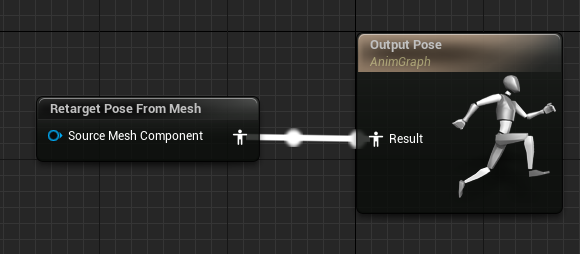
- Right-click the target skeletal mesh.
- Select
Create > Anim Blueprint. - Open the new Animation Blueprint.
- Open its AnimGraph.
- Add
Retarget Pose From Mesh. - Connect it to the Output Pose.
- Select the retargeter duplicate in
IKRetargeter Asset. - Compile and save the Animation Blueprint.
Add the mesh to the Motion character
Do not change the Animation Blueprint on Mesh (CharacterMesh0). This mesh runs the primary Animation Blueprint.
- Open
BP_MotionCharacter. - Select
Mesh (CharacterMesh0). - Enable
Hidden in Game. - Set
Visibility Based Anim Tick OptiontoAlways Tick Pose and Refresh Bones. - Select the
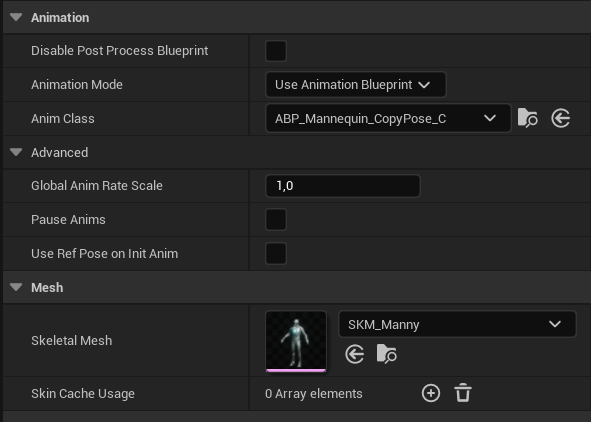
FullBodyskeletal mesh component. - Assign the new skeletal mesh.
- Assign the new Animation Blueprint to
Anim Class.
To add a headless mesh:
- Duplicate the
FullBodyskeletal mesh component. - Assign the headless skeletal mesh.
- Disable
Owner No See. - Disable
Cast Shadow.
Start PIE. The new character must be visible, and the mannequin must be hidden. Animations must apply to the new mesh.